> ## Documentation Index
> Fetch the complete documentation index at: https://rendi.dev/docs/llms.txt
> Use this file to discover all available pages before exploring further.
# Zapier Integration
> Automate FFmpeg video processing in Zapier workflows using Rendi — no-code integration.
# Rendi and Zapier Integration
Rendi's integration with Zapier enables seamless automation of video processing workflows by combining Rendi's FFmpeg capabilities with Zapier's powerful automation platform.
## Integration Details
You can find our official integration on Zapier's marketplace:
[Zapier – Rendi – FFmpeg API](https://zapier.com/apps/rendi/integrations)
To establish the integration between Zapier and Rendi:
1. Obtain your API key from the Rendi dashboard
2. Connect your Zapier account to Rendi
3. Use your Rendi API key to authenticate the connection
## Available Actions
Rendi provides two native actions within Zapier:
1. **Run FFmpeg Command**: The primary action for triggering video processing tasks. The full documentation for this action can be found in [API reference - run FFmpeg command endpoint](/api-reference/endpoint/run-ffmpeg-command)
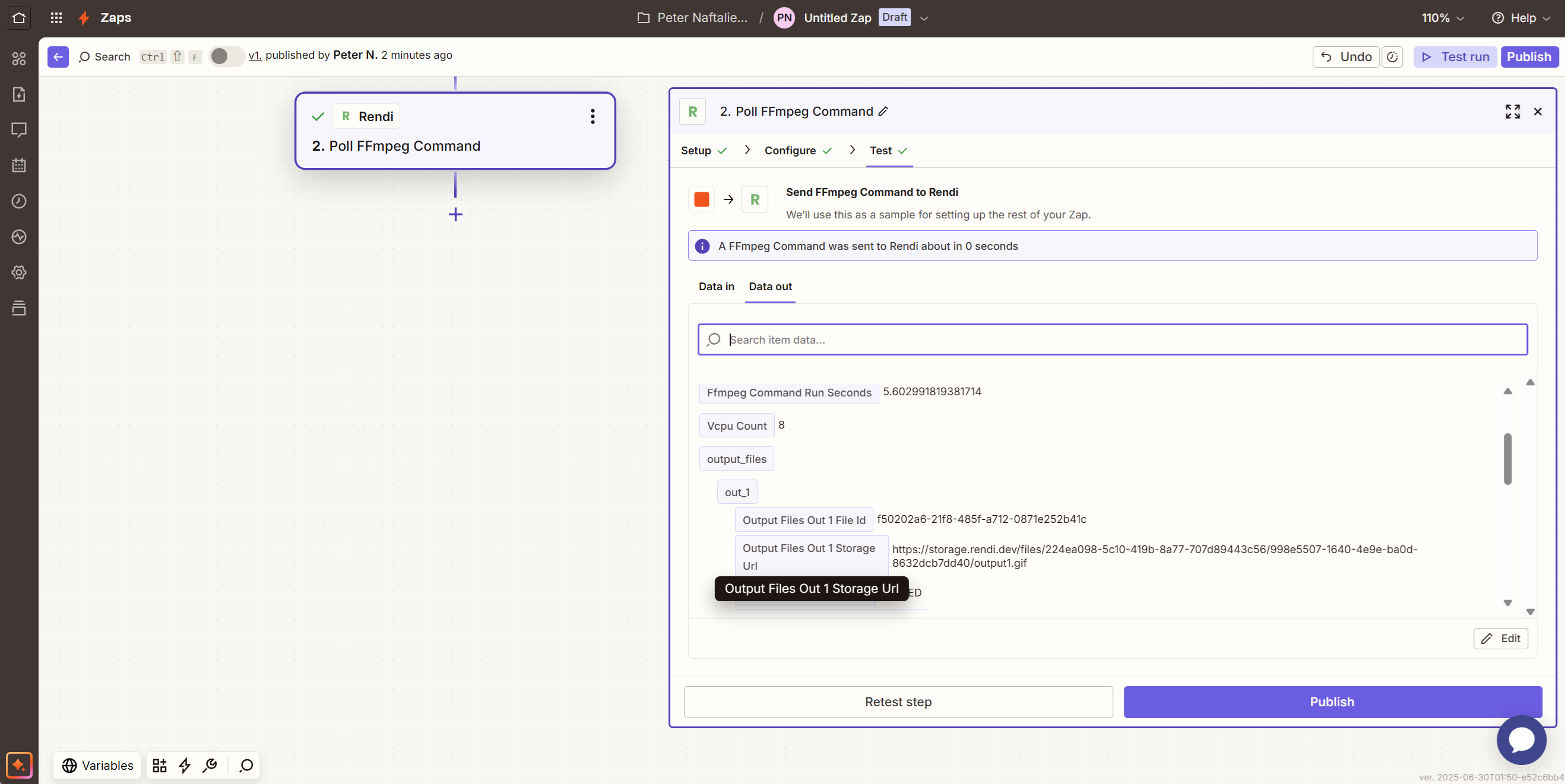
2. **Poll FFmpeg Command**: For polling the command for its output.
These actions are accessible through Zapier's action search when building your Zaps.
## Handling Curly Brackets `{{}}`
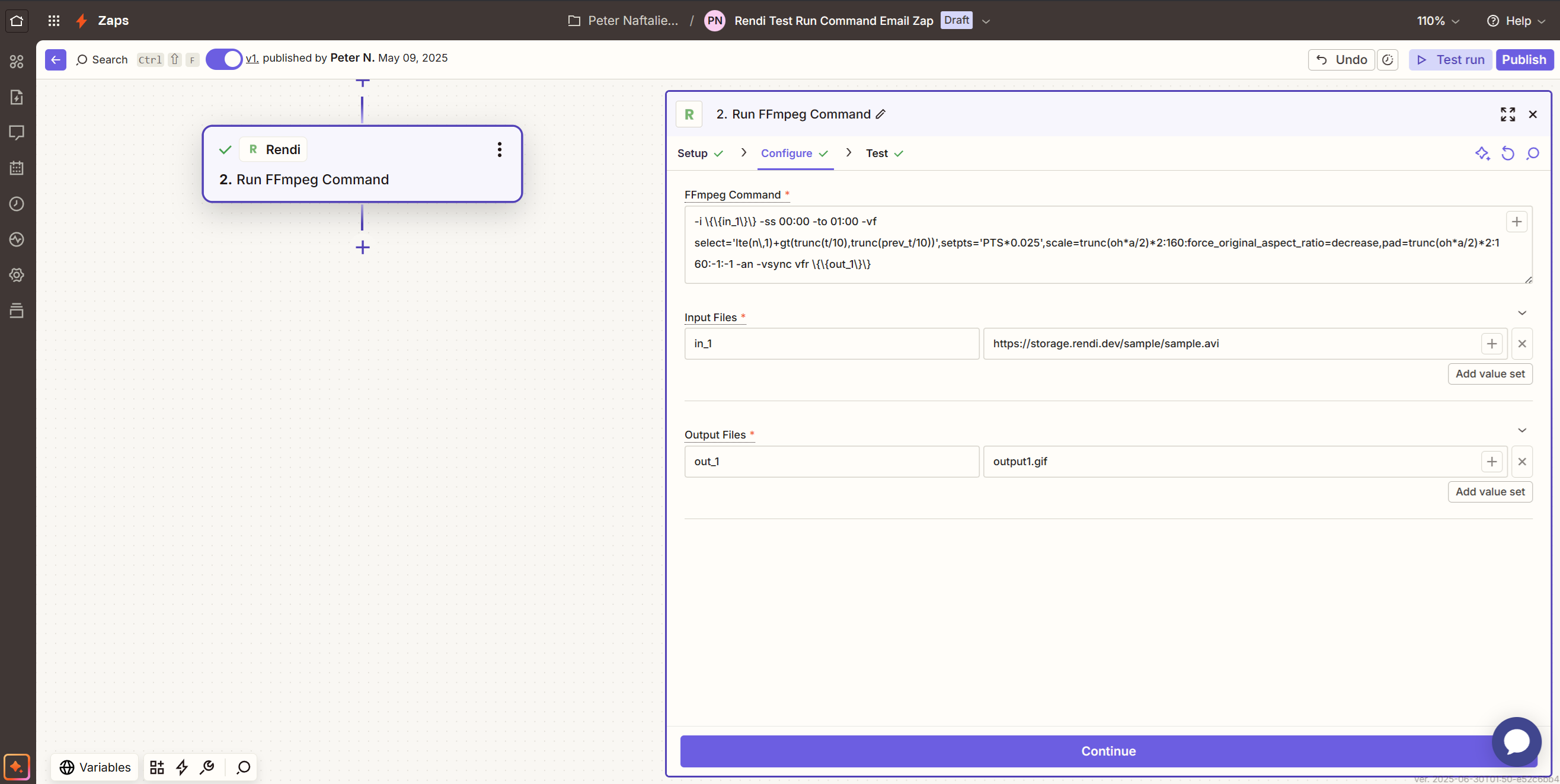
Zapier uses curly brackets `{{}}` as special characters for its stored variables. When using these brackets in Rendi FFmpeg commands, you need to escape them with backslashes, like this: `\{\{\}\}`.
Here's an example of a configured FFmpeg command in Zapier:
 Here's the test output of the Poll Command for the command\_id returned:
 ## Processing Workflow
After submitting a command to Rendi, you have two options to track the processing status:
1. **Polling Method**: Monitor the job status using the native Poll Command action which returns the same response as in our [API reference - poll command endpoint](/api-reference/endpoint/poll-command)
2. **Webhook Integration**: Configure webhooks to automatically trigger Zapier workflows upon job completion. See our [webhooks documentation](/webhooks) for details.
## Processing Workflow
After submitting a command to Rendi, you have two options to track the processing status:
1. **Polling Method**: Monitor the job status using the native Poll Command action which returns the same response as in our [API reference - poll command endpoint](/api-reference/endpoint/poll-command)
2. **Webhook Integration**: Configure webhooks to automatically trigger Zapier workflows upon job completion. See our [webhooks documentation](/webhooks) for details.